$72.23
$142.28
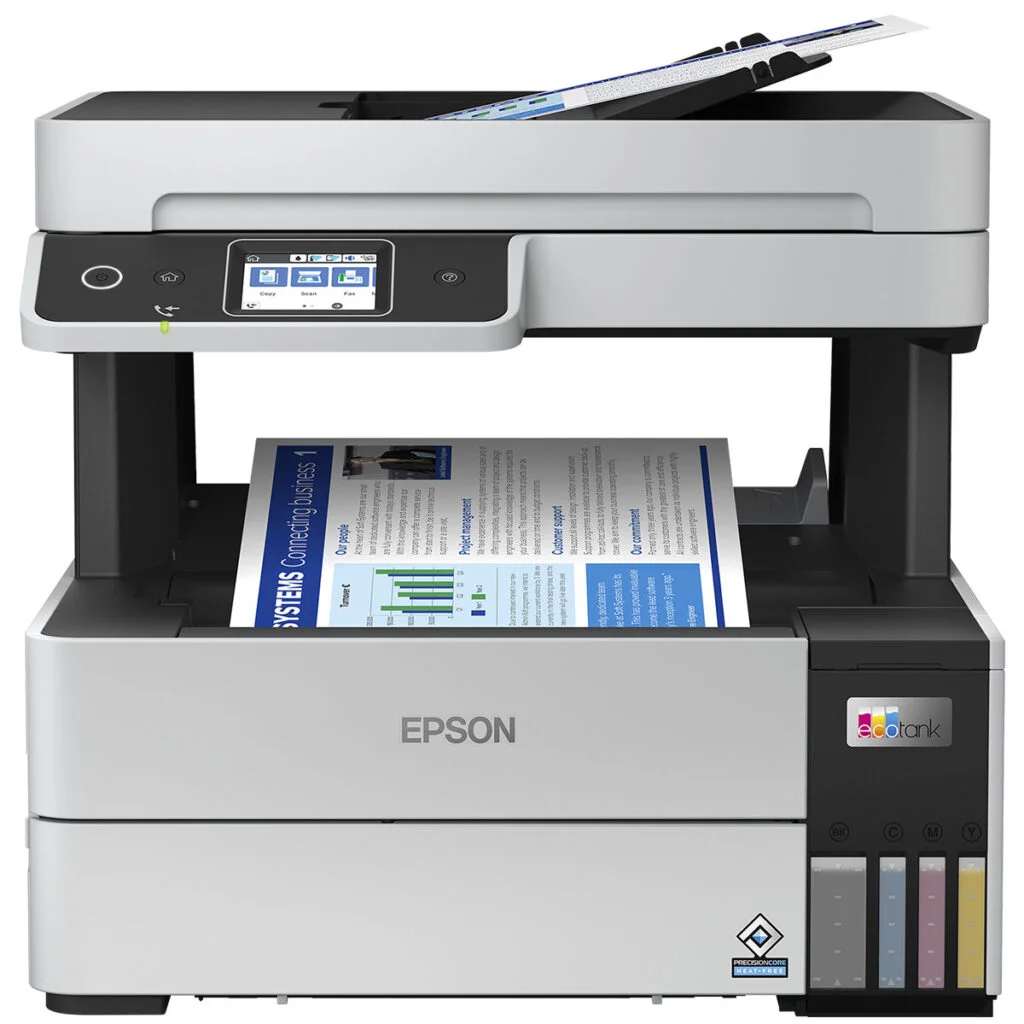
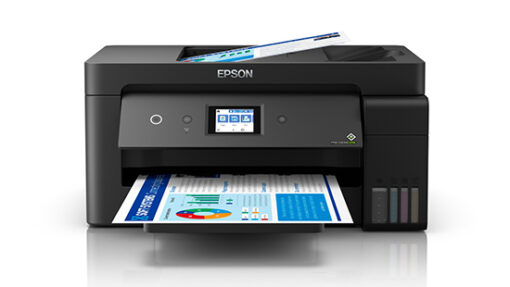
Description Epson EcoTank L3550 – Cartridge-Free Multifunction Printer with Ultra-Low Running Costs Product Description The Epson EcoTank L3550 is a powerful yet compact all-in-one ink tank printer that delivers an unbeatable combination of affordability, high print yield, multifunction capability, and wireless connectivity. Whether you’re working from home, running a small business, managing a study center, or printing daily for family needs, the L3550 offers unmatched convenience and long-term savings. Print More, Spend Less – The EcoTank Advantage Unlike traditional printers that rely on costly cartridges, the Epson EcoTank L3550 uses Epson’s EcoTank technology, which replaces cartridges with high-capacity, refillable ink tanks. This system significantly lowers your cost per page and eliminates the hassle of frequent cartridge replacement. Included in the box are four 65 ml ink bottles (Black, Cyan, Magenta, Yellow) and an additional black ink bottle. With just this initial supply, you can print up to 4,300 pages in black and 7,300 pages in color. That means months of printing without the need to buy refills, making the Epson EcoTank L3550 one of the most cost-effective printers available. The front-facing, transparent ink tanks make it easy to monitor ink levels at a glance, and the spill-free, key-coded bottles ensure clean and foolproof refills. It’s an ideal solution for users looking for a sustainable and economical approach to everyday printing. Multifunction Capability – Print, Copy, Scan The L3550 is a 3-in-1 device that supports printing, copying, and scanning. Its flatbed scanner offers an optical resolution of 1,200 x 2,400 dpi, perfect for digitizing important documents or making high-quality copies. Although it lacks an automatic document feeder (ADF), it handles flatbed scanning with ease and precision. Copy and scan functions are operated via a simple control panel and buttons, making the device easy to use even for beginners. For households or offices that require occasional scanning and copying, this printer does the job without the need for additional hardware. Print Quality & Speed Epson’s PrecisionCore Heat-Free™ Technology powers the Epson EcoTank L3550 print engine. It enables faster, more energy-efficient printing without compromising print quality. The printer supports a maximum resolution of 4,800 x 1,200 dpi, delivering sharp text, clean lines, and vibrant color output. In terms of speed, it prints up to 15 pages per minute (ppm) in black and 8 ppm in color under ISO standard conditions. In draft mode, these speeds increase to 33 ppm (black) and 20 ppm (color). First page out times are as quick as 9 seconds for monochrome and 15 seconds for color documents. Whether you’re printing reports, invoices, schoolwork, or images, the L3550 produces consistently reliable results. Seamless Wireless Connectivity This Epson EcoTank L3550 printer offers USB, Wi-Fi, and Wi-Fi Direct connectivity, allowing users to print from multiple devices without needing a wired connection or router. It supports all major mobile printing solutions including: Epson Smart Panel App – Enables mobile control of the printer for printing, scanning, maintenance, and setup. Apple AirPrint – Easily print from iOS and macOS devices. Epson Connect – Print documents and images from anywhere using Email Print or Remote Print Driver. With Wi-Fi Direct, you can connect your smartphone or laptop directly to the printer without joining a network, which is especially useful in temporary setups or small workspaces. Design & Usability The Epson EcoTank L3550 is designed to fit seamlessly into any home or office space. Its compact footprint (375 x 347 x 179 mm) and lightweight build (~4.1 kg) make it easy to place on desks, shelves, or shared workstations. The front ink tank system is neatly integrated into the chassis, maintaining a clean and professional look. The user interface is simple and intuitive. Refilling ink is a clean, mess-free process thanks to the smartly designed bottles, which only fit into their respective color tanks. No squeezing, no spills — just snap it in and let it flow. Maintenance is also simplified through the inclusion of a replaceable maintenance box. This user-replaceable component collects excess ink and helps prolong the printer’s life without requiring service center visits. Environmentally Friendly & Energy Efficient As part of Epson’s commitment to sustainability, the Epson EcoTank L3550 uses Heat-Free Technology that reduces power consumption. It consumes approximately 12W during printing and just 0.8W in sleep mode. It also contributes to waste reduction by eliminating the need for disposable cartridges and minimizing packaging materials. The Epson EcoTank L3550 is ENERGY STAR® certified, making it a responsible choice for eco-conscious users. Best Use Cases Home Use: Whether it’s school assignments, coloring pages, recipes, or personal documents, families will appreciate the convenience, low cost, and wireless flexibility the Epson EcoTank L3550 provides. Home Office & Freelancers: Professionals who print frequently will benefit from the low operating costs and solid performance for reports, presentations, invoices, and marketing materials. Small Businesses: Ideal for small shops, agencies, or educational centers that require daily print, scan, and copy tasks. The long ink life reduces interruptions and boosts efficiency. Educational Use: Tutors and teachers printing study materials, class exercises, or visuals will appreciate the massive ink yield and consistent print quality. Pros & Cons Pros:✔ Extremely low cost per page✔ Refillable tanks with large ink capacity✔ Compact and modern design✔ Excellent print quality for text and graphics✔ Wireless and mobile printing options✔ Environmentally conscious, heat-free printing✔ Replaceable maintenance box extends printer life Cons:✘ No automatic duplex printing (manual only)✘ No ADF for scanning/copying multipage documents✘ Dye-based inks may fade over time compared to pigment inks✘ Occasional nozzle cleaning needed if left unused for long periods Tips for Long-Term Use Print regularly to prevent ink from drying in the nozzles. Even a few pages a week keeps it running smoothly. Use original Epson inks to maintain color accuracy and prevent clogs. Replace the maintenance box when prompted to avoid errors or leaks. Keep the printer in a dust-free space to preserve the scanner and print quality. Specifications (Brief Summary) Feature Specification Functions Print, Scan, Copy Print Technology Epson PrecisionCore Heat-Free™ Ink Type Dye Ink (Black, Cyan, Magenta, Yellow) Print Resolution Up to 4,800 x 1,200 dpi Print Speed (ISO) 15 ppm (Black), 8 ppm (Color) Draft Speed 33 ppm (Black), 20 ppm (Color) Scanner Type Flatbed CIS, 1,200 x 2,400 dpi Connectivity USB 2.0, Wi-Fi, Wi-Fi Direct Mobile Printing Epson Smart Panel, Apple AirPrint, Epson Connect Ink Yield (Supplied) 4,300 pages (Black), 7,300 pages (Color) Paper Input Capacity 100 sheets (Rear Feed) Borderless Printing Up to 10 x 15 cm Duplex Printing Manual Energy Usage 12W (printing), 0.8W (sleep) Dimensions 375 x 347 x 179 mm Weight Approx. 4.1 kg Maintenance Replaceable ink maintenance box Official Product Links Epson EcoTank L3550 – Epson Official Product Pagehttps://www.epson-africa.com/printery/dom/ecotank-l3550-c11ck59404 Epson EcoTank L3550 – Radox Technology Limited Product Pagehttps://radox.co.ke/product/epson-l3550-printer/
Printer & Scanners